Free Website Optimisation and SEO Analysis of Your Website
Sarch Engine Optimisation Report for your website.
moreeBusiness and Website
Croan.ie can develop your website for you, redesign an existing website or carry out website optimisation and Search Engine Optimisation on your existing website content to ensure that you are found online by potential
moreCroan.ie eBusiness and Website Design
Croan.ie can develop your website for you, redesign an existing website or carry out website optimisation and Search Engine Optimisation on your existing website content to ensure that you are found online by potential
more
What our clients have had to say
about Croan.ie...
Free Website Optimisation and SEO Analysis of Your Website
Sarch Engine Optimisation Report for your website.
moreMS Outlook FAQ
This simple guide will show you how to set up your email client to retrieve your email from Croan.ie email servers. You should use this guide if you have a new email account or if you have changed computer.
The email client used here is Microsoft Outlook Express 6 but the steps and settings are common for all Microsoft email packages and with a little experimentation you should be able to set up your email client using these images as a guide.
To Set Up Your E-mail Account in Microsoft Outlook Express
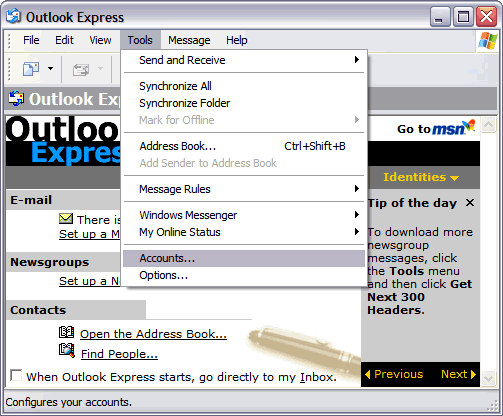
- In Microsoft Outlook Express, from the Tools menu, select Accounts.
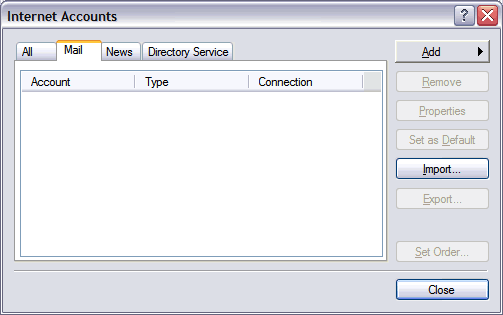
- Go to the Mail tab and from the Add menu, select Mail.
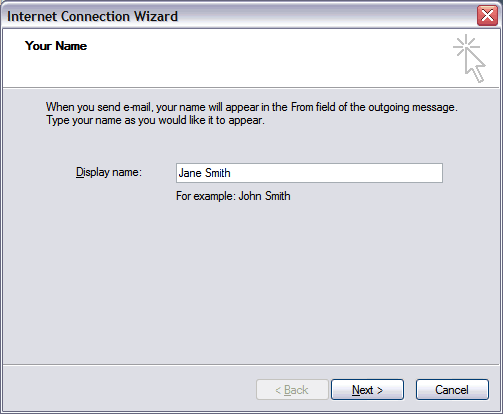
- In the Display Name field, enter you full name and click Next.
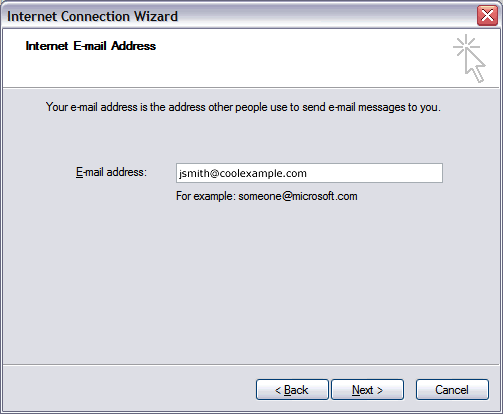
- In the E-mail address field, enter your email address and click Next.
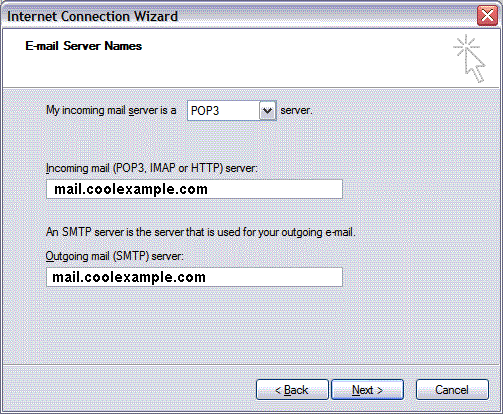
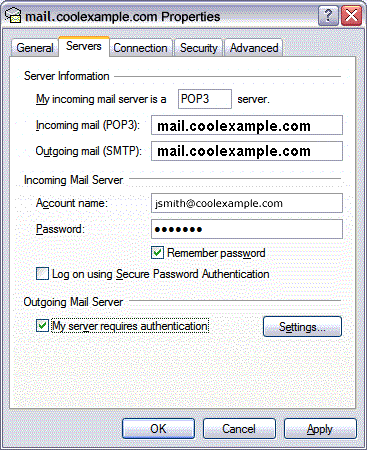
- On the E-mail Server Names page, enter your information as follows:
- My incoming mail server is a
- Select POP3.
- Incoming mail (POP3, IMAP or HTTP) server
- Type mail. your domain name. Here we have used coolexample.com - obviously replace coolexample.com with your domain name.
- Outgoing mail (SMTP) server
- Type mail. your domain name. Here we have used coolexample.com - obviously replace coolexample.com with your domain name.
Click Next.
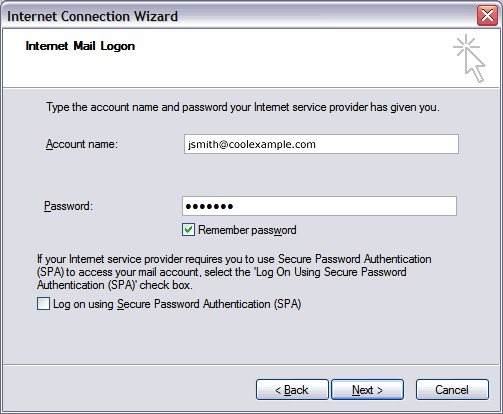
- In the Account Name and Password fields, enter your email address and password, and then click Next.
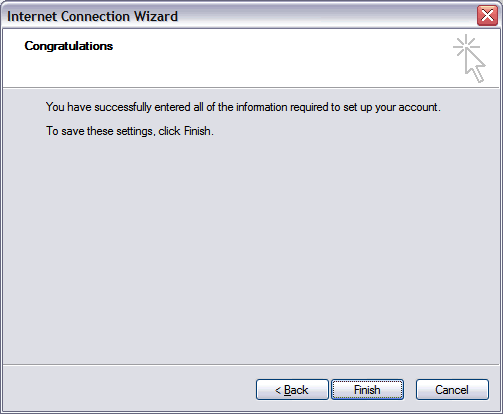
- On the setup confirmaiton page, click Finish.
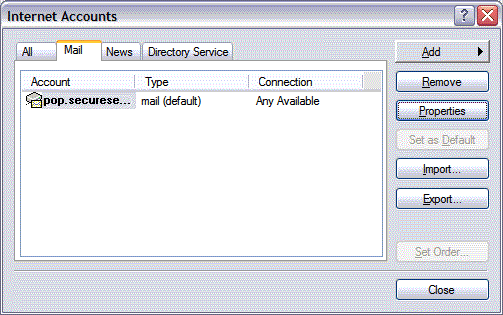
- On the Mail tab, select the account you just created and then click Properties.
- Go to the Servers tab.
- Select My server requires authentication, and then click Apply.
- Go to the Advanced tab.
- In the Server Port Numbers section, change Outgoing mail (SMTP) to 80, and then click OK.
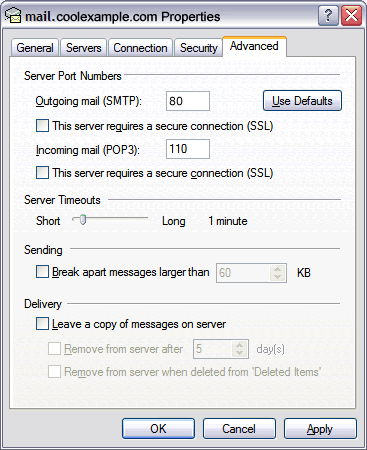
- (Optional) If you would like to keep a copy of your email messages stored on your email provider's servers, in the Delivery section, select Leave a copy of messages on server.
Your Outlook Express account is now set up. Click Close to close the Internet Accounts window and return to your Outlook Express.